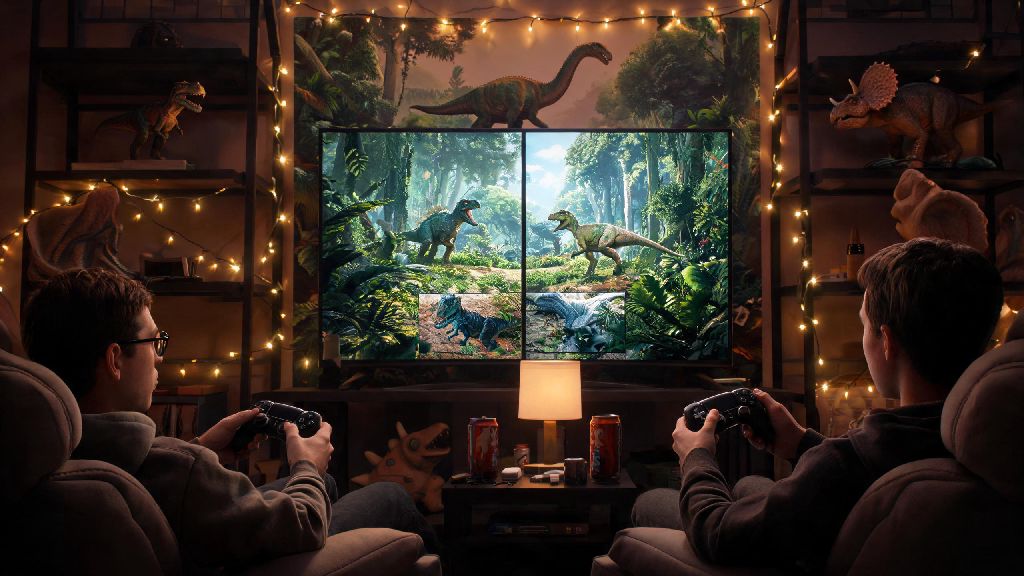
If you’ve ever grabbed your extra PS4 controller and wondered is ark ps4 2 player supported, you’re not alone. Thousands of players look for easy ways to enjoy the brutal dinosaur survival game with a friend sitting right next to them, rather than jumping into random online servers. I’ve spent dozens of hours testing local co-op on the PS4 version of Ark, so I’ll walk you through exactly what works, what doesn’t, and how to make your 2 player sessions as fun as possible without running into constant technical hiccups. Unlike online play, local co-op doesn’t require a PlayStation Plus subscription in most cases, which is a huge bonus if you don’t pay for the service.
Is Ark PS4 2 Player Supported for All Game Modes?
The short answer is yes, 2 player play is fully supported on PS4 versions of Ark: Survival Evolved, but it only works for specific game modes. You can’t load into an official public online server and add a second split-screen player, for example, as official servers restrict sessions to one player per console connection. This restriction applies to both PvE and PvP official servers, so don’t waste time trying to join a public server with a second player on your console.
split-screen 2 player only works for local sessions hosted on your PS4, not on official online servers. You can play 2 player either via split-screen on the same console, or via a local non-dedicated server if you have two PS4s connected to the same Wi-Fi network. Most players looking for casual co-op prefer split-screen, since it doesn’t require extra hardware or a second copy of the game.
One key limitation to note is that split-screen second players can’t save their progress to a separate PSN account unless you use a non-dedicated server setup. If you use a guest account for the second player, all their progress, tamed dinosaurs, and items will disappear as soon as they leave the session. That means if you plan to play long-term with the same partner, you’ll want to set up a non-dedicated server instead of basic split-screen.
How to Set Up 2 Player Split-Screen on Ark for PS4
Setting up split-screen is way easier than most players think, as long as you follow the right steps in order. I’ve messed this up a dozen times by skipping a step, so stick to this order to avoid wasting 20 minutes troubleshooting. Once you’re set up, you’ll be able to enjoy all the core gameplay of Ark in 2 player mode without needing extra hardware or subscriptions.
You don’t need PlayStation Plus to play split-screen 2 player on Ark PS4, which is one of the biggest perks of this mode. If you want to adjust the split orientation to vertical, you can do that in the game’s settings menu under the “Interface” tab, though horizontal split is better for most TV sizes under 55 inches. Make sure you’re in a safe spot before you invite the second player in, otherwise they might spawn right next to a hungry raptor and get killed before they even pick their starting clothing.
Common 2 Player Ark PS4 Issues and How to Fix Them
Even if you follow the setup steps perfectly, you’re likely to run into a few small issues when playing 2 player on Ark PS4. Most of these issues are common across all 2 player Ark PS4 sessions, so you don’t need to worry that your copy of the game is broken. All of these fixes are quick and don’t require any technical expertise to implement.
The most common issue is frequent frame rate drops, especially in busy areas with lots of dinosaurs, building structures, or dense foliage. frame rate drops are normal in 2 player mode, especially in busy areas with lots of dinosaurs or building structures, since your PS4 is rendering two separate instances of the game at once. You can fix most frame rate issues by turning down view distance in the graphics settings, turning off anti-aliasing, and avoiding building huge bases with hundreds of decorative structures if you play split-screen regularly.
Another common issue is the second player being unable to join the session, even after pressing the Options button. This almost always happens if you try to join before the host’s world is fully loaded, or if the second controller isn’t properly synced to the PS4. Just restart the game, make sure both controllers are connected before you launch Ark, and wait 30 seconds after the host loads into the world before pressing the Options button on the second controller.
Never close the game while the second player is still connected, as this can corrupt your entire save file. If you’re ready to stop playing, have the second player leave the session first by pressing the Options button and selecting “Leave Game”, then save the host’s progress before closing the game. I learned this the hard way after losing 10 hours of progress when I accidentally closed the app mid-session with my brother.
Top Tips for Enjoyable 2 Player Ark PS4 Sessions
Once you’ve got your 2 player session up and running, there are a few small tweaks you can make to avoid fighting with your co-op partner and make progress way faster. One of the best parts of 2 player Ark PS4 play is that you can split the grind of resource gathering and taming, so you can get to the fun parts of the game way faster than you would playing solo.
Split roles early to avoid wasting time doing the same task twice. One player can focus on gathering basic resources like wood, thatch and fiber, while the other focuses on crafting tools and taming small, useful dinosaurs like dodos and parasaurs. If you’re playing long-term, you can even specialize further: one player can focus on base building and farming, while the other focuses on exploring and taming high-level combat dinosaurs.
Build a small shared base first before you start exploring far from spawn. Having a shared storage box, bed, and basic crafting station means you don’t have to carry all your resources with you, and you have a safe spot to respawn if you get killed by a wild dino. Set your tribe settings to allow shared access to all structures and tamed dinosaurs, so both players can ride the same tames and use the same storage boxes without permission prompts.
If you want to make your sessions more challenging, you can switch to local PvP mode and battle each other, or team up to raid small AI bases. Just make sure you both agree on the rules before you start, otherwise you might end up arguing over who stole whose T-Rex. My co-op partner and I once spent 3 hours taming a level 120 T-Rex together, and splitting the roles (one distracting it, one shooting tranq arrows) made the process way less stressful than doing it alone.
If you were still wondering is ark ps4 2 player supported, you now have all the info you need to start playing with a friend right away. Split-screen co-op is one of the most underrated features of the PS4 version of Ark, and it’s a great way to experience the game’s brutal survival mechanics without having to deal with toxic random players on public servers. Just remember to follow the setup steps carefully, adjust your graphics settings to avoid frame rate issues, and split roles with your partner to make progress as smoothly as possible. Whether you’re playing for a few hours on a rainy weekend or building a massive dinosaur park together over months, 2 player Ark on PS4 is some of the most fun you can have on the console.