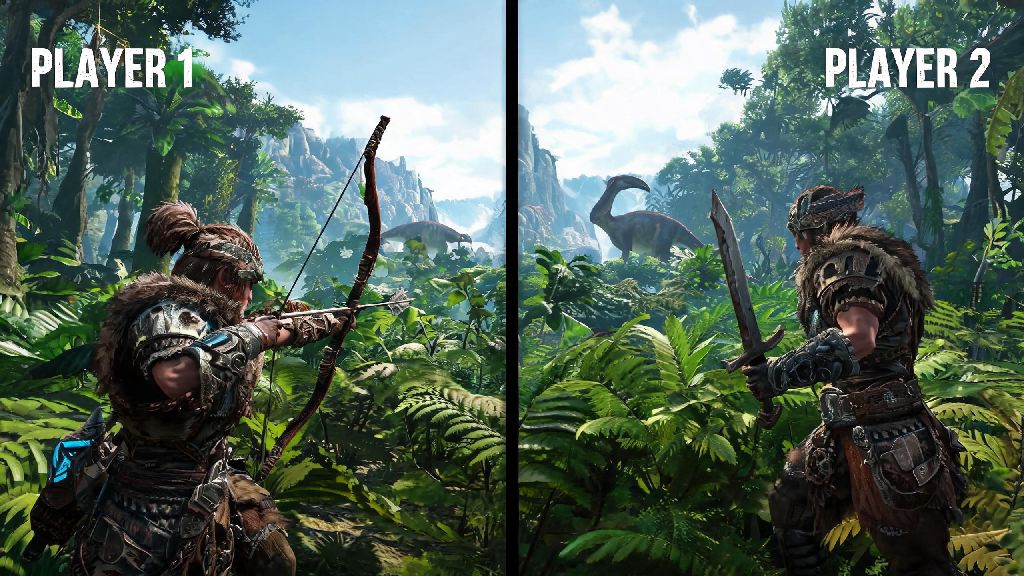
There’s nothing better than diving into Ark Survival’s prehistoric, dinosaur-filled world with a friend by your side, and many players don’t want to shell out for a second console or extra game copy to do it. If you’ve found yourself wondering can 2 people play Ark Survival on one console, you’re not alone — this is one of the most common questions new Ark players ask before planning a co-op session. We’ve put together all the official rules, setup steps, troubleshooting tips, and quality-of-life tricks you need to run smooth local co-op sessions without extra costs or unnecessary hassle.
Can 2 People Play Ark Survival on One Console? Official Rules by Platform
The short answer is yes, almost all modern consoles support 2-player local split screen play for Ark Survival, but there are small differences across platforms you need to know before you get started. PlayStation 4, PlayStation 5, Xbox One, and Xbox Series S/X all support native split screen for up to two local players, no extra downloads or paid DLC required. Nintendo Switch also supports local 2-player play, but you’ll notice lower resolution and more frequent frame drops, especially if you’re running a base with lots of structures or tamed dinos. You need at least one controller for the second player on all platforms, as there’s no support for split keyboard and mouse play on console or PC versions of the game. You also don’t need a second PS Plus or Xbox Live subscription for local play, only if you plan to join public online servers together with your co-op partner.
Step-by-Step Setup for Local 2-Player Ark Survival Co-op
Setting up your split screen session only takes a few minutes if you follow the right order of operations, and skipping steps can lead to crashes or unrecognized controller inputs. We’ve tested this process across all major console platforms, and these steps work consistently for both new and existing save files. Here’s what you need to do:
Always load your save file after connecting the second controller to avoid common crashes that happen if you plug in a controller mid-game. If you’re on PlayStation, you don’t even need a separate PSN account for the second player — you can use a guest profile to skip login steps and jump right into the game.
Common Issues With 2-Player Local Ark Survival & Fixes
Ark is an incredibly resource-heavy game, so it’s normal to run into small snags when running split screen on console, but most issues are easy to fix with minor adjustments. The most common problem players run into is consistent lag or frame drops, especially when both players are near a large base with lots of tamed dinosaurs. To fix this, turn down your view distance setting, disable high-resolution shadows, and limit the number of tames you keep within render distance of your main base. Another common issue is the second player’s controller not being recognized when you load into the world. If this happens, restart the game completely and make sure both controllers are connected before you launch Ark, instead of plugging them in after the game is open. Never turn off your console before both players have exited the world properly either, as this can corrupt your save file and erase hours of progress building bases and taming dinos. It’s also important to note that the second player’s character progression is tied to the host’s save file, so they can’t take their character, items, or tames to their own single player playthroughs later.
Tips for Enjoyable 2-Player Local Ark Survival Gameplay
Once you have your split screen session running smoothly, there are a few small tweaks you can make to turn a frustrating grind into a fun shared experience. First, split roles with your co-op partner to cut down on repetitive tasks: one person can focus on gathering resources and building out your base, while the other focuses on taming dinos and scouting for dangerous threats nearby. Pick horizontal split screen if you’re playing on a smaller TV, as it gives both players more vertical visibility to spot incoming raptors, falling rocks, or other threats that you might miss on vertical split screen. You can also turn on shared resource pools in the world settings so you don’t have to constantly trade items back and forth between your two inventories when crafting. Local co-op play is only available for PvE and private PvP worlds by default, so you won’t be able to join public online servers with two split screen players. I’ve run dozens of local co-op runs with my partner over the years, and we’ve found that starting on the beginner-friendly The Island map before moving to harder maps like Scorched Earth or Aberration makes the experience way less frustrating for new players who are still learning the game’s mechanics.
So, now you have a full answer to whether can 2 people play Ark Survival on one console, plus all the tools you need to run a smooth, fun co-op session with a friend. You don’t need any extra paid subscriptions or hardware beyond a second controller, and small setting tweaks will fix almost all common performance issues you might run into. If you’re new to the game, stick to PvE mode for your first few playthroughs so you don’t have to deal with random player raids while you’re still getting the hang of taming, building, and surviving the prehistoric world. Once you get comfortable with local co-op, you can always switch to online play later if you want to add more friends to your tribe.